
Purchasing a MacBook requires a significant financial commitment, making the immediate instinct to wrap that premium hardware in a protective layer completely rational. After spending heavily on Apple's brilliant engineering, nobody wants to ruin their investment with a careless drop or an ugly scratch.
However, adding a thick plastic shell creates a frustrating dilemma. You are forced to choose between preserving the beautiful aluminum design and shielding the device from daily wear and tear.
While snapping on a hard cover seems like the obvious solution, it can introduce hidden hardware risks that might actually cause more harm than good.
Key Takeaways
- Apple's unibody aluminum chassis offers strong native defense against bending, but the glass display and exposed metal corners remain highly vulnerable to physical impacts.
- Hard plastic shells prevent dents and liquid damage, yet they trap processor heat and can cause the computer to severely throttle its performance under heavy workloads.
- The extra weight of a plastic case puts constant strain on the display hinges, which often leads to a loose screen that refuses to stay properly angled over time.
- Snap-on clips create dangerous clearance hazards near the display bezels, drastically increasing the risk of cracking the screen when you close the laptop lid.
- Using a padded travel sleeve combined with AppleCare+ insurance provides comprehensive physical and financial security without altering the intended thermal dynamics or weight of the machine.
Assessment of MacBook Build Quality and Built-In Durability
Apple designs its laptops with a distinct focus on premium materials and structural integrity. Before deciding to add a layer of plastic to your machine, you must evaluate the native defenses the device already possesses.
The raw engineering of the hardware dictates how much outside help it actually needs to survive daily use.
Aluminum Unibody Construction
The foundation of Apple's modern laptop design is the aluminum unibody enclosure. By milling the entire chassis from a single block of metal, the manufacturer achieves remarkable material strength and rigidity.
This solid construction offers native defense against the everyday pressure of being squeezed into a full backpack or carried around a busy office. The metal frame resists bending under normal circumstances, ensuring the delicate internal components remain safe from minor contact and moderate external forces.
Resistance to Daily Wear and Scratches
Beyond raw structural strength, the exterior features an anodized aluminum finish designed to withstand normal handling. This chemical process hardens the outer layer of the metal, providing a baseline resistance to light friction.
However, this finish is not invincible. The palm rests are highly vulnerable to constant friction from metal watch bands or bracelets, which can gradually wear away the matte coating.
Furthermore, tossing the bare laptop into a bag alongside loose house keys or charging bricks will quickly result in noticeable surface scratches.
Primary Structural Weaknesses
Despite the rigid aluminum frame, the laptop harbors a few significant physical vulnerabilities. The glass Retina display and its incredibly thin surrounding bezels are highly fragile, lacking the robust protection found on thicker ruggedized computers.
Additionally, the crisp, right-angled corner edges of the chassis are heavily exposed. A direct impact on these corners easily leads to permanent dents or bent metal. The open accessory ports also remain completely unprotected against direct physical impact.
Advantages of Hard-Shell Cases

Adding a hard plastic shell to your laptop offers immediate psychological comfort, but the practical benefits extend beyond simple peace of mind. These accessories provide tangible defenses against common accidents and offer unique ways to interact with the appearance of the device.
Impact and Drop Defense
The most obvious benefit of a rigid cover is the mitigation of physical shock from accidental bumps. If the laptop slides off a low coffee table or knocks against a doorframe, the plastic absorbs the initial force.
This shielding is especially crucial for those vulnerable chassis edges and corners. Instead of the aluminum taking the blunt force and permanently deforming, the replaceable plastic shell takes the damage.
Preservation of Resale and Trade-In Value
Maintaining a pristine laptop directly impacts your future financial return. Dented corners and deep surface scuffs significantly reduce the trade-in value offered by official Apple programs or third-party resale markets.
By wrapping the device in a protective layer, you prevent the exact cosmetic damages that buyers penalize heavily. An immaculate exterior ensures you extract the maximum possible cash value when it is time to upgrade to a newer model.
Defense Against External Elements
Daily life is messy, and a hard cover acts as an excellent barrier against environmental hazards. A plastic shell deflects liquid splashes from a spilled cup of coffee, keeping sticky residue off the metal housing.
It also serves as a defensive wall against the inevitable surface stains from dirty cafe tables and eliminates the threat of sharp objects scraping across the lid.
Personalization and Aesthetic Options
Many users want their hardware to reflect their personal style. Hard covers allow for complete aesthetic customization without making any permanent alterations to the original hardware.
You can change the color of your machine or add vibrant patterns instantly. More importantly, using a case allows you to apply dozens of decorative stickers directly to the plastic, avoiding the nightmare of scraping gummy adhesive residue off the bare aluminum chassis later.
Hidden Risks and Disadvantages of Hard Cases

While the benefits of snapping a hard plastic cover onto your computer seem obvious, the practice introduces several unintended consequences. Because Apple engineers these machines to highly precise specifications, adding aftermarket bulk creates hidden hazards that can severely damage the hardware over time.
Thermal Retention and Heat Dissipation Issues
The most significant risk of using a rigid cover involves temperature management. The aluminum chassis functions as a passive heatsink, pulling warmth away from the internal processor and releasing it into the surrounding air.
Wrapping this metal body in insulating plastic traps that heat inside the machine. This forces the internal cooling fans to spin much louder and more frequently.
Under heavy workloads, this trapped warmth can lead to severe performance throttling as the processor deliberately slows down to prevent overheating.
Hinge Wear and Structural Strain
Laptop display hinges are carefully calibrated to support the exact weight of the naked screen. Snapping a heavy piece of plastic onto the display lid adds constant, uncalculated strain to these tension mechanisms.
Over months of opening and closing the computer, this extra weight prematurely wears down the internal springs. This structural strain often results in a loose lid that struggles to stay properly angled or fails to align perfectly when closed.
Trapped Debris and Surface Abrasion
A frustrating irony of using a protective cover is that it can cause the exact cosmetic damage it was purchased to prevent. Snap-on cases are rarely perfectly airtight.
Over time, everyday grit, dust, and microscopic sand particles work their way underneath the plastic shell. Because the cover fits tightly, this trapped debris presses directly against the laptop.
Normal handling shifts the case slightly, grinding the dirt into the anodized aluminum and leaving the chassis covered in permanent micro-scratches.
Screen Clearance Hazards and Display Damage
The manufacturing tolerances of a closed Apple laptop are extraordinarily tight, leaving almost zero space between the keyboard deck and the glass display. Most hard cases attach using small plastic tabs that clip tightly around the edges of the bottom chassis.
If these snap-on clip mechanisms sit too close to the hinge or stick up slightly above the metal rim, they can press directly into the delicate screen bezels. Simply closing the laptop with normal force can result in a cracked display due to this unnatural pressure.
Alternative Protection Options

If a rigid plastic shell presents too many hardware risks, you still have several viable ways to defend your computer. The objective is to find a method that guards against physical damage without interfering with the internal cooling systems or stressing the delicate hinges.
Protective Sleeves and Travel Pouches
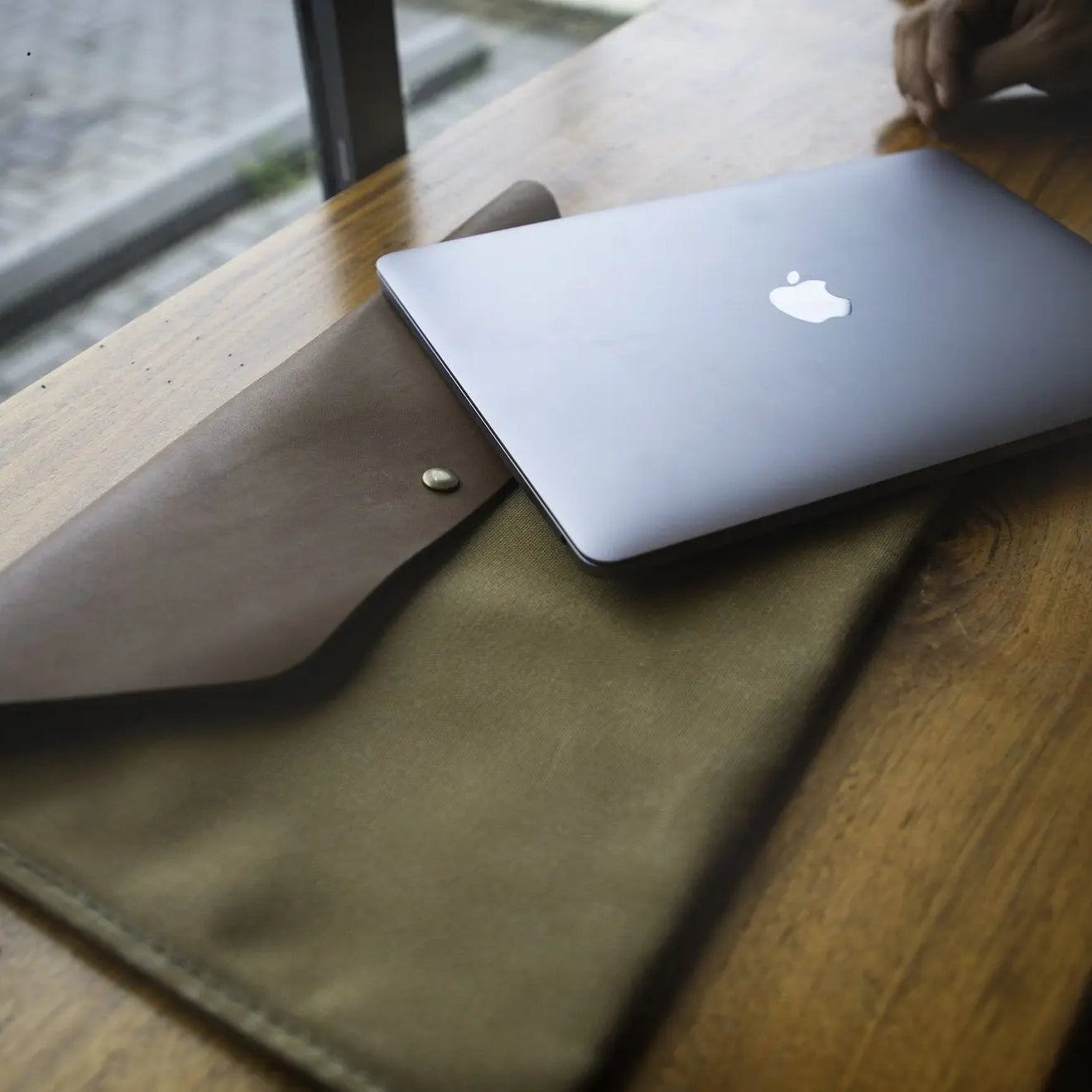
A highly effective compromise is utilizing a dedicated sleeve or travel pouch. These accessories provide substantial cushioning during transit, which is the exact moment the device is most vulnerable to accidental drops.
Because you completely remove the laptop during active use, a sleeve never alters the thermal dynamics or adds unnecessary weight to the screen. You can find these pouches in a wide variety of materials, ranging from basic neoprene and thick memory foam to premium leather.
Adhesive Vinyl Skins
If your primary concern is cosmetic wear rather than heavy impact damage, adhesive vinyl skins offer an excellent solution. These precisely cut decals wrap around the exterior aluminum, providing strict protection against surface scratches with zero added weight or physical bulk.
Unlike thick plastic covers, vinyl skins have a negligible impact on thermal dissipation. They also completely bypass the dangerous screen clearance hazards associated with snap-on clips, ensuring the display closes safely and securely.
Padded Laptop Bags and Backpacks
Sometimes the best protection does not touch the laptop at all. Investing in a high-quality padded backpack or messenger bag guarantees robust security during daily commutes.
A dedicated, suspended laptop compartment isolates the machine from your other belongings, preventing loose items from scratching the aluminum. This approach offers excellent external bump protection without requiring any permanent or semi-permanent attachments to the computer itself.
AppleCare+ as Financial Insurance
Rather than wrapping the laptop in physical armor, many users opt for a financial safety net. Purchasing AppleCare+ shifts the burden of hardware protection from physical accessories to comprehensive insurance coverage.
If a severe drop shatters the screen or dents the chassis, the out-of-pocket repair costs under this warranty are drastically lower than the punishing full replacement expenses of an uninsured machine. This allows you to enjoy the raw, unhindered design of the aluminum unibody with total peace of mind.
Decision Factors Based on Lifestyle and Environment

Choosing the right defense strategy ultimately depends on how and where you use your machine on a daily basis. Evaluating your specific routine and immediate surroundings will help you determine the appropriate level of security your hardware actually requires.
Commute Frequency and Travel Conditions
Your daily movement dictates your baseline risk of accidental damage. Frequent travelers, university students, and field workers require far more aggressive protection than stationary users who rarely move their computers.
Commuting on busy public transit, walking through crowded spaces, and working outdoors heavily elevate the chances of a device being bumped or dropped. In these high-risk situations, robust padding during transit becomes absolutely essential.
Workspace Setup and Desk Usage
Even if your computer never leaves the house, the immediate environment still poses specific threats. A static desk setup in a quiet home office presents minimal danger, allowing you to safely use a completely bare machine.
However, shared living spaces often introduce unpredictable hazards. You must account for the risks involving curious pets knocking things off tables, energetic children, and generally chaotic work areas where spilled drinks are a constant threat.
Budget Strategy and Risk Tolerance
Finalizing your setup requires evaluating your budget strategy alongside your personal risk tolerance. You have to weigh the upfront accessory costs against your long-term device lifespan goals.
Some users happily spend extra money on sleeves and skins to ensure the laptop remains in pristine condition for a future trade-in. Others prefer to save that cash, accepting that minor cosmetic wear is simply the price of enjoying a slim, unencumbered device without the physical bulk of additional accessories.
Conclusion
Deciding to use a hard case requires balancing the desire for physical protection against serious hardware risks. While a plastic shell defends against edge dents and liquid spills, it simultaneously traps processor heat, strains the display hinges, and risks cracking the screen with tight clips.
The right choice depends entirely on your daily routine. If you work in chaotic environments or travel constantly, a protective sleeve or a padded backpack provides excellent transit safety without stressing the laptop itself.
For those primarily worried about surface scratches, an adhesive vinyl skin offers a harmless barrier. Finally, relying on AppleCare+ allows you to use the machine exactly as designed, providing financial safety without wrapping the aluminum in heavy plastic.
Frequently Asked Questions
Do hard plastic cases make MacBooks overheat?
Yes, plastic cases can trap heat and cause your laptop to run much hotter. The aluminum body is designed to act as a natural heatsink that releases internal warmth into the air. Covering this metal with insulating plastic forces the internal fans to work harder and can slow down performance.
Can a snap-on case damage my laptop screen?
A snap-on case can easily crack your display if the plastic clips press against the glass. Apple manufactures its laptops with extremely tight gaps between the keyboard and the screen. Thick plastic tabs from cheap covers interrupt this clearance, putting dangerous pressure on the fragile display bezels when closed.
Will a hard cover damage my display hinges?
Adding extra weight to your screen lid will cause premature wear on the internal hinges. The tension springs inside the laptop are calibrated specifically for the bare aluminum display. A heavy plastic shell adds constant, uncalculated strain that often results in a loose or misaligned screen over time.
What is the safest way to protect my laptop during travel?
Using a thick memory foam sleeve or a suspended backpack compartment provides the safest travel protection. This strategy guards the device against severe drops and bumps while it is in transit. Because you remove the computer to work, you avoid adding any thermal restrictions or physical weight during active use.
Do skins and decals ruin the aluminum finish?
High-quality vinyl skins will not ruin the anodized finish and usually leave no sticky residue. These adhesive decals are an excellent way to prevent surface scratches without adding dangerous bulk to the screen. You just need to peel them off slowly and clean the metal with rubbing alcohol afterward.