

Modern tablets morphed from simple media screens built for streaming videos into powerful mobile computers capable of handling intense professional workflows. Buyers now face a frustrating dilemma when deciding which device deserves their hard-earned cash.
You must choose between the strict, highly polished confines of the Apple ecosystem and the expansive, heavily customized variety offered by Android manufacturers. Making the wrong choice means wasting money on hardware that clashes with your daily habits.
Our goal is to provide a comprehensive comparison of the raw performance, software optimization, and overall value offered by both sides.
Key Takeaways
- Apple provides a highly secure, fluid experience with premium professional applications and extensive long-term software support.
- Android offers massive customization, true desktop-style multitasking, and hardware flexibility like expandable storage.
- Budget buyers will find the best value in Android devices, while the iPad dominates the premium market with powerful custom processors.
- The right choice heavily depends on your current tech ecosystem, favoring Apple for Mac compatibility or Android for smooth Windows integration.
Operating Systems and Ecosystem Integration
The software running on your tablet dictates how you interact with your device daily. The divide between Apple and Android operating systems represents two fundamentally different philosophies regarding user control, design aesthetics, and device connectivity.
The iPadOS Experience
Apple built iPadOS to prioritize a fluid and intuitive user experience. The interface is highly polished, ensuring that animations run smoothly and apps open without hesitation.
Apple tightly controls the software environment to maintain strict security standards and a simplified layout. Users who prefer a straightforward system that simply works out of the box will appreciate the lack of complex menus.
The centralized design means that updates are rolled out uniformly, keeping the system secure and efficient across all supported models.
The Android Approach
Android offers a stark contrast by giving users extensive control over their tablet's interface. The software shines through its deep customization options, allowing you to arrange home screen widgets, change system themes, and tweak notification settings to your exact preferences.
Furthermore, Android handles files much like a traditional desktop computer. Users can easily browse internal folders, side-load applications from outside the official store, and manage downloads with total freedom.
Cross-Device Synergy
The way a tablet connects with your other gadgets heavily influences its overall utility. Apple excels at creating seamless connections across its hardware lineup.
Features like AirDrop for instant file sharing, Handoff for continuing tasks on a different device, and Universal Control for sharing a single mouse and keyboard with a Mac make the iPad an incredibly powerful extension of the Apple ecosystem. Conversely, Android relies on broad compatibility with Google services and Windows computers.
Tools like Phone Link and Quick Share allow Android tablets to sync notifications, transfer photos, and share files effortlessly with a massive variety of PCs and smartphones.
The Walled Garden vs. Open Source
Apple operates a closed ecosystem, often referred to as a walled garden. This strict oversight guarantees high quality and reliable performance, but it limits your options to what Apple officially approves.
Android operates as an open source platform utilized by dozens of manufacturers. This multi-manufacturer environment creates massive flexibility in how the software is implemented, giving consumers immense choice.
However, this freedom can lead to fragmentation, where different brands apply unique overlays that sometimes complicate the user interface or delay major software updates.
App Availability and Software Optimization

Hardware power means very little without optimized applications to take advantage of it. The software libraries available for iPads and Android tablets reveal distinct advantages depending on whether you prioritize professional productivity or casual entertainment.
The Tablet App Gap
Developers have historically prioritized the iPad when building applications for large screens. Apple encouraged the creation of native tablet apps early on, resulting in a rich catalog of software specifically designed to utilize the larger display area.
In contrast, the Android ecosystem has struggled with a persistent app gap. Many applications available on the Google Play Store are simply blown up versions of mobile phone interfaces.
While Google is actively working to push developers toward tablet optimized layouts, the iPad still retains a noticeable advantage in overall app refinement.
Creative and Professional Software
Professionals and digital artists often gravitate toward the iPad due to its exclusive access to industry standard software. Programs like Procreate offer incredibly responsive illustration tools, while Final Cut Pro and Logic Pro provide robust video and audio editing suites directly on the tablet.
The Google Play Store features a growing roster of capable alternatives, such as LumaFusion and various Adobe applications. However, Android still lacks the sheer volume of top tier, specialized professional tools that currently dominate the Apple App Store.
Media Consumption and Gaming
Transitioning from work to entertainment highlights how screen aspect ratios heavily influence the user experience. Android tablets frequently utilize widescreen ratios that perfectly match modern movies and television shows, minimizing the black bars at the top and bottom of the display.
iPads typically use a squarer aspect ratio, which is excellent for reading and web browsing but less optimal for cinematic video playback. For high-end gaming, both platforms deliver stellar performance, but the iPad often receives premium game ports and optimized graphics patches slightly earlier than competing Android devices.
Hardware Diversity and Price-to-Value Ratio

The tablet market offers a massive spectrum of hardware choices, ranging from highly affordable entry level models to incredibly expensive professional slates. Selecting the right device requires balancing your budget against the physical features and processing power you actually need.
The Budget Tier
Android absolutely dominates the sub-$200 hardware market. Manufacturers like Amazon, Lenovo, and Samsung produce highly affordable devices that serve perfectly for casual web browsing, reading e-books, and streaming videos.
These budget options are particularly popular for young children or users who only need a secondary screen for basic tasks. Apple does not compete in this ultra low cost space, making Android the default recommendation for buyers with strict budget limitations.
Mid-Range to Premium Devices
Moving up the price ladder introduces fierce competition between the iPad Air and Pro lineups against flagship Android models like the Samsung Galaxy Tab S series. Apple provides stunning displays, slim bezels, and premium aluminum enclosures.
Samsung matches this quality with gorgeous OLED screens and sophisticated designs. Both camps offer premium devices that feel exceptionally well built, ensuring buyers in the mid-range and high-end markets receive top tier materials and vibrant displays.
Processor Performance
Raw computing power represents a major battleground for modern tablets. Apple utilizes its custom M-series silicon, the exact same processors found in their laptop computers.
This provides the iPad Pro and iPad Air with staggering amounts of processing headroom, allowing them to render 4K video and manage complex 3D models without breaking a sweat. Premium Android tablets typically rely on top tier Snapdragon processors.
While these chips provide incredibly fast, smooth performance for multitasking and mobile gaming, Apple's custom silicon generally scores higher in raw benchmark tests.
Hardware Flexibility
Apple maintains a highly streamlined hardware approach, offering a fixed set of features across a rigid product lineup. If you need more storage space on an iPad, you must pay a premium upfront for a larger capacity model.
Android tablets excel at offering unique hardware flexibility. Many Android models include expandable MicroSD card slots, allowing you to cheaply upgrade your storage space at any time.
Furthermore, Android manufacturers experiment with diverse hardware configurations, including varied biometric fingerprint reader placements, ruggedized chassis options, and unique speaker setups.
Productivity, Multitasking, and Accessories

Tablets are no longer just for casually watching movies or reading articles. With the right software framework and physical attachments, these sleek glass slabs transform into highly capable workstations.
The ability to manage multiple applications simultaneously and attach robust external tools heavily dictates how much actual work you can accomplish on your device.
Desktop-Class Interfaces
Android excels at mimicking a traditional computer environment. Samsung DeX transforms the standard tablet interface into a desktop layout complete with a taskbar, free-floating windows, and overlapping applications.
This system feels immediately familiar to anyone used to operating a Windows PC. Apple takes a highly structured approach with iPadOS.
Features like Split View allow you to place two apps side by side, while Stage Manager offers a way to group and resize overlapping windows. While Stage Manager has improved significantly, it still retains a distinctly mobile feel compared to the true desktop freedom offered by DeX.
The Stylus Showdown
Digital artists and frequent note-takers often base their entire purchase decision on stylus performance. The Apple Pencil sets an incredibly high bar with near-zero latency, pixel-perfect precision, and seamless pressure sensitivity.
However, Apple requires you to purchase this accessory separately at a premium price. Samsung provides a highly competitive alternative with the S Pen, which typically comes included in the box with their premium tablets.
The S Pen offers exceptional accuracy and a softer tip that feels remarkably like writing on actual paper, providing massive upfront value without requiring an extra purchase.
Keyboard Cases and Peripherals
Physical typing requires a robust keyboard attachment. The Apple Magic Keyboard features excellent tactile feedback, a highly responsive trackpad, and a floating cantilever design that allows you to adjust the viewing angle smoothly.
On the Android side, the market offers a massive variety of first and third-party options. Premium covers from brands like Samsung and Lenovo provide very capable typing experiences.
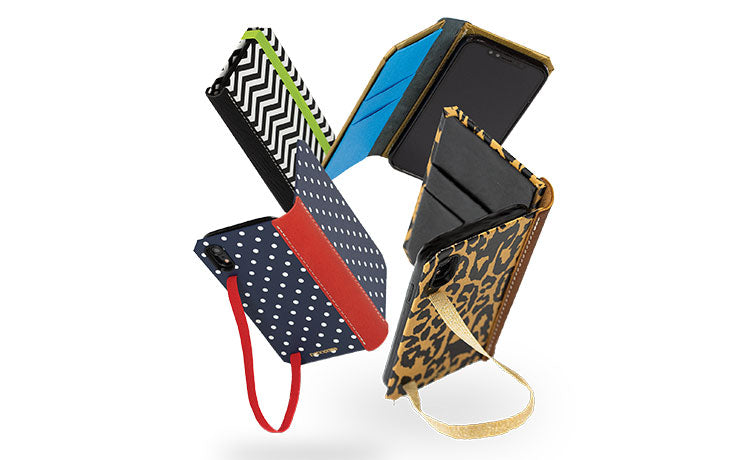
Beyond standard keyboards, many professionals customize their devices with handcrafted, traditional book-bound cases. These premium accessories disguise the high-tech tablet as a classic hardcover journal, blending vintage aesthetics with modern utility and durable drop protection.
The Laptop Replacement Test
Students and office workers constantly ask if a tablet can truly replace their traditional laptop. For heavily text-based tasks, email management, and web research, both platforms perform admirably.
If your workflow relies on strict file management, extensive window overlapping, and using standard web browsers without mobile limitations, a premium Android tablet running a desktop mode provides the most convincing laptop alternative. Conversely, if your work involves specialized creative software, demanding video editing, or seamless transitions between your phone and computer, the iPad serves as a more reliable and polished workstation.
Software Support and Resale Value

Purchasing a high-end device is a significant financial commitment. The true cost of a tablet involves how long the manufacturer will support the software and how much money you can recover when you eventually decide to sell it.
Evaluating the lifecycle of these devices helps determine their actual long-term value.
Update Lifespans
Apple holds an outstanding track record for software support. Purchasing a new iPad guarantees you will receive five to seven years of major operating system updates, ensuring your device remains secure and capable of running modern applications for an extended period.
Android manufacturers offer wildly varying levels of support. While Samsung recently committed to providing up to seven years of updates for their absolute top-tier models, many mid-range and budget Android tablets are abandoned after only one or two software cycles.
Long-Term Performance Degradation
Hardware ages differently across the two platforms. Thanks to their powerful custom processors, iPads typically maintain their snappy performance for many years before showing signs of slowdown.
You can comfortably use a three-year-old iPad Pro without noticing any lag during daily tasks. Budget Android tablets often suffer from noticeable performance drops within the first two years, as their lower-end processors struggle to keep up with demanding software updates.
Premium Android models fare much better, but they still tend to show minor interface stuttering earlier in their lifecycle than competing Apple hardware.
The Secondhand Market
Selling your old tablet helps offset the cost of upgrading to a new model. iPads famously hold their financial value on the secondhand market.
The combination of guaranteed software updates and strong brand demand means you can easily resell a used iPad for a substantial portion of its original retail price. Android tablets experience a much steeper depreciation curve.
Because the market is flooded with massive hardware discounts and new models releasing constantly, a used Android device loses its resale value quickly, resulting in a much lower return on your initial investment.
Conclusion
The decision between an iPad and an Android tablet ultimately depends on what you value most in a mobile computer. Apple delivers a highly polished, secure, and restricted environment packed with professional creative software and unmatched processor power.
Android answers with incredible hardware variety, highly affordable options, and an open software experience that closely mimics a traditional desktop setup.
If you are a digital artist, someone already deeply invested in the Apple hardware ecosystem, or a buyer who prioritizes holding onto a device for many years, the iPad stands as your best option. Conversely, if you operate on a strict budget, prefer watching movies on widescreen displays, or rely heavily on Google services and Windows computers, an Android tablet will perfectly match your daily needs.
Frequently Asked Questions
Can an Android tablet replace a Windows laptop?
A premium Android tablet can serve as a highly capable laptop substitute for web browsing, writing, and email management. Systems like Samsung DeX offer a familiar desktop layout with overlapping windows. However, specialized desktop software and heavy programming tasks still require a traditional computer.
Do iPads last longer than Android tablets?
iPads generally maintain reliable performance and hold their financial value longer than competing devices. Apple typically provides software updates for five to seven years. While high-end Androids now promise similar support timelines, budget models often lose software support and slow down much faster over time.
Which tablet platform is better for digital artists?
Professional illustrators generally prefer the iPad due to its exclusive software catalog. Applications like Procreate offer incredibly powerful tools specifically optimized for the Apple Pencil. While Android features great drawing apps, the iPad retains a massive advantage in premium creative software and latency-free stylus performance.
Can I expand the storage on my tablet?
Most Android tablets include a built-in MicroSD card slot that allows you to easily and cheaply add extra storage space. Apple does not offer expandable storage on any iPad model. You must purchase a higher capacity iPad upfront if you plan to store large files.
Which tablet is best for watching movies?
Android tablets provide a superior movie-watching experience because they typically feature widescreen displays. This layout eliminates the large black bars that appear at the top and bottom of the screen. The squarer aspect ratio of an iPad works far better for reading documents and browsing websites.