
Peeling the protective film off a new iPad is thrilling right up until the paranoia sets in. That flawless, vibrant glass is now exposed to a hostile world of dirt, zippers, and accidental drops.
Covering it with a screen protector feels like the responsible choice. However, slapping a sheet of plastic or thick tempered glass over your tablet means sacrificing the visual brilliance Apple spent billions perfecting.
You face a frustrating conflict between keeping your expensive device in pristine condition and actually enjoying the display you paid for. Finding the right balance depends entirely on how you use your tablet.
Key Takeaways
- Apple engineers modern iPad screens with highly durable glass designed to resist most everyday scratches, though invisible environmental dust can still cause minor surface wear over time.
- Applying a screen protector requires trading some native visual clarity and touch responsiveness for enhanced physical defense.
- Digital artists often benefit from the friction of matte films, while frequent travelers should prioritize the impact resistance of thick tempered glass.
- Alternatives like sturdy book-bound cases or an AppleCare Plus warranty offer excellent protection without altering the beautiful native display.
The Bare iPad Screen: How Tough Is It Really?
Apple engineers its devices to withstand regular daily use. The beautiful glass panel spanning the front of your tablet is not fragile window glass.
It is a highly specialized component designed to resist damage while delivering an exceptional viewing experience. Evaluating the raw physical strength of this display helps clarify exactly what level of danger your device faces in the real world.
Apple's Glass Technology
Modern iPads feature custom glass formulations designed for maximum clarity and impressive surface hardness. The manufacturing process creates a dense material that naturally repels minor abrasions.
Additionally, Apple applies a delicate anti-reflective coating to the exterior. This specialized layer minimizes glare from overhead lights and the sun, making the screen much easier to read outdoors.
While the underlying glass is remarkably hard, the surface coatings themselves are slightly more vulnerable to friction.
Scratch Resistance vs. Shatter Resistance
People often confuse how screens respond to different types of physical stress. Scratch resistance refers to the display's ability to brush off contact with sharp or abrasive objects like metal keys or rough table surfaces.
Shatter resistance involves surviving blunt force trauma, such as dropping the tablet onto a concrete floor. Engineering glass that excels at both is notoriously difficult.
A screen that is highly resistant to shattering might be slightly softer and more prone to scratches, while incredibly hard scratch-proof glass can shatter more easily upon impact.
The Threat of Micro-Scratches
Your iPad does not need to encounter a sharp metal blade to sustain damage. The most common enemy of a pristine display is ordinary environmental dust.
Household dirt, beach sand, and tiny particulate matter floating in the air often contain quartz or silica. These minerals are harder than the iPad's display glass.
If a single grain of silica gets trapped under a cleaning cloth or rubbed across the screen inside a backpack, it creates a tiny, almost invisible scratch. Over months of use, these micro-scratches accumulate and can dull the finish of the display.
The Apple Pencil Factor
A pervasive myth suggests that drawing heavily on the iPad will permanently scar the glass. The standard Apple Pencil utilizes a plastic tip.
On the Mohs scale of mineral hardness, plastic ranks significantly lower than tempered glass. No matter how aggressively you sketch or write, the plastic tip simply cannot carve into the much harder glass surface.
Any temporary marks left behind after a long drawing session are usually just plastic residue rubbing off the tip itself, which easily wipes away with a microfiber cloth.
The Trade-Offs: What You Sacrifice for Protection

Adding a third-party layer over your iPad alters the native user experience. Apple designs the hardware and software to work in perfect harmony with the bare screen.
Introducing a barrier of glass or plastic forces you to accept compromises in how the tablet looks, feels, and operates.
Visual Fidelity and Display Quality
Current iPad displays, especially models equipped with OLED or Liquid Retina technology, offer breathtaking contrast and vibrant color accuracy. Placing an extra sheet of material over this high-end panel immediately alters the optical clarity.
Thick tempered glass can introduce a subtle gap that catches ambient light and increases distracting glare. Matte protectors are even more disruptive to image quality.
The textured surface scatters light to create a prismatic, slightly fuzzy rainbow effect that severely reduces text sharpness and mutes deep black levels.
Touch and Stylus Interference
The iPad's touch sensors are calibrated to register the slightest physical contact on the bare glass. Applying a thick protector occasionally interferes with this precise calibration.
Fast swipe gestures might fail to register, or you may notice a slight delay during rapid typing. For digital artists, the extra distance between the Apple Pencil tip and the actual display panel can reduce pressure sensitivity and affect the accuracy of fine line work.
The Apple Pencil Tip Wear Issue
Many users purchase textured screen protectors to replicate the physical sensation of drawing on paper. These matte films achieve their rough texture through microscopic bumps and ridges.
While they provide excellent tactile feedback, they effectively turn the surface of your iPad into a sheet of fine sandpaper. Dragging an Apple Pencil across this abrasive film wears down the plastic tip rapidly.
Users who draw or take notes frequently often find themselves forced to purchase replacement stylus tips every few weeks.
The Installation Challenge
Applying a protective film to a small smartphone is moderately annoying. Attempting the same task on an expansive 11-inch or 13-inch tablet is notoriously difficult.
The massive surface area acts like a magnet for floating dust particles. Achieving a perfect, bubble-free alignment requires patience, a completely clean environment, and steady hands.
Even a single speck of dust trapped near the center of the display creates a permanent, irritating air bubble that cannot be pushed out.
Matching Protection to Your iPad Lifestyle

There is no universal rule dictating that every tablet requires extra armor. The necessity of a screen protector relies entirely on your daily routine, your physical environment, and your personal tolerance for minor wear and tear.
The Digital Artist and Note-Taker
Creative professionals and heavy note-takers often prioritize control and precision above ultimate image clarity. Drawing on smooth, bare glass can feel unnaturally slippery.
For these users, a matte screen protector provides essential surface friction. The added drag helps control the Apple Pencil, making handwriting much more legible and sketching feel far more natural.
They willingly accept a slight drop in screen sharpness to gain a superior drafting experience.
The Frequent Traveler and Commuter
If your iPad leaves the house every day, the risk of damage multiplies. Commuters shoving their tablets into crowded backpacks, balancing them on cramped airplane tray tables, or working in bustling coffee shops face constant hazards.
In these chaotic environments, the likelihood of a devastating drop or an accidental collision with a zipper is high. A robust tempered glass protector offers crucial peace of mind, acting as a sacrificial layer that absorbs sudden impacts.
The Casual Couch User
Many people only use their iPads at home for reading news, scrolling through social media, or watching movies in bed. In a controlled, low-impact environment, a bare screen is often the smartest choice.
The risk of dropping the device on a hard surface is minimal, and the tablet rarely encounters abrasive debris. Leaving the screen naked allows the user to fully appreciate the brilliant display quality without any unnecessary visual compromises.
The Shared Family Device
An iPad circulating through a household with children leads a tough life. It gets dropped on kitchen tiles, smeared with sticky fingers, and left face-down on floors.
Kids rarely handle expensive electronics with care. For a shared family tablet, maximum physical defense is mandatory.
A durable glass protector defends against unpredictable impacts and aggressive tapping, ensuring the device survives long enough to be passed safely between siblings.
Choosing the Right Screen Protector

If you decide that an extra layer of defense makes sense for your lifestyle, the next step is sorting through the crowded accessory market. Not all materials offer the same benefits.
Selecting the correct type depends entirely on what you want to achieve, whether that is surviving a nasty fall or simply adding some friction for drawing.
Tempered Glass Options
Tempered glass remains the most popular choice for users prioritizing heavy-duty defense. These rigid panels absorb the shock of direct impacts, shattering so your actual iPad screen stays intact.
They also preserve the vivid colors and sharp text of your display much better than plastic alternatives. However, tempered glass adds noticeable physical thickness to the tablet.
This extra bulk can slightly interfere with tightly fitted cases. Furthermore, the highly reflective nature of a thick glass protector often amplifies frustrating screen glare from overhead lighting.
Matte and Textured Films
Made from flexible PET plastic, matte films cater heavily to artists and students. The micro-textured surface provides excellent tactile feedback, mimicking the familiar drag of a pencil sliding across real paper.
This resistance makes handwriting neater and sketching far more precise. Additionally, the matte finish scatters incoming light, practically eliminating harsh reflections.
The massive trade-off here is display clarity. The same texture that gives you a paper-like feel acts like a prism over the pixels, causing a persistent grainy or fuzzy effect that severely mutes color vibrancy and crispness.
Magnetic and Removable Protectors
Magnetic protectors offer a brilliant compromise for users who refuse to settle for just one experience. These flexible screens feature magnetic strips along the edges, allowing you to snap the textured film onto the iPad only when you need to draw or take notes.
Once the work is done, you simply lift it off, store it in a sleeve, and return to the vibrant, unobstructed bare glass for watching movies or editing photos. While they require keeping track of a loose accessory, they solve the permanent visual degradation problem caused by standard adhesive matte films.
Effective Alternatives to Screen Protectors

Applying adhesive films or glass to your display is not the only way to keep an iPad safe. Often, the best defense focuses on guarding the device during the moments it is most vulnerable.
By utilizing smart accessories or extended warranty plans, you can keep the screen flawless without permanently modifying the tablet itself.
Handcrafted Book-Bound Cases
Most scratches do not happen while you are actively holding and using the iPad. Damage typically occurs during transit, like when the tablet is bouncing around inside a bag with loose pens, chargers, and rough metal objects.
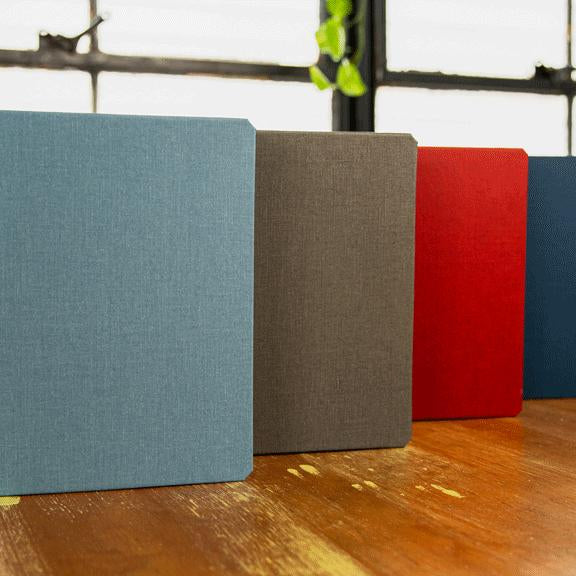
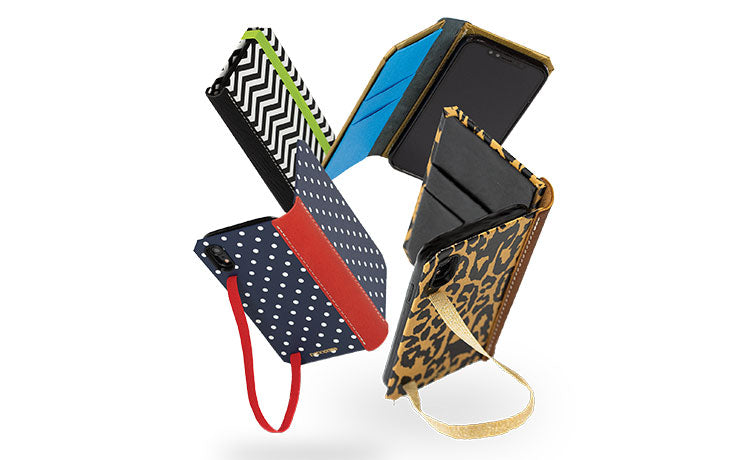
A handcrafted, book-bound case completely protects the delicate glass during these hazardous moments. Built using traditional bookbinding techniques, these specialized covers feature a rigid exterior and a sturdy inner tray, effectively disguising your tablet as a classic hardcover journal.
The soft interior lining resting against the screen keeps dust at bay and prevents friction. As soon as you fold back the sturdy cover, you get the pure, untouched display experience you want, wrapped in the elegant feel of a physical book and supported by a built-in stand for comfortable viewing.
Keyboard Cases
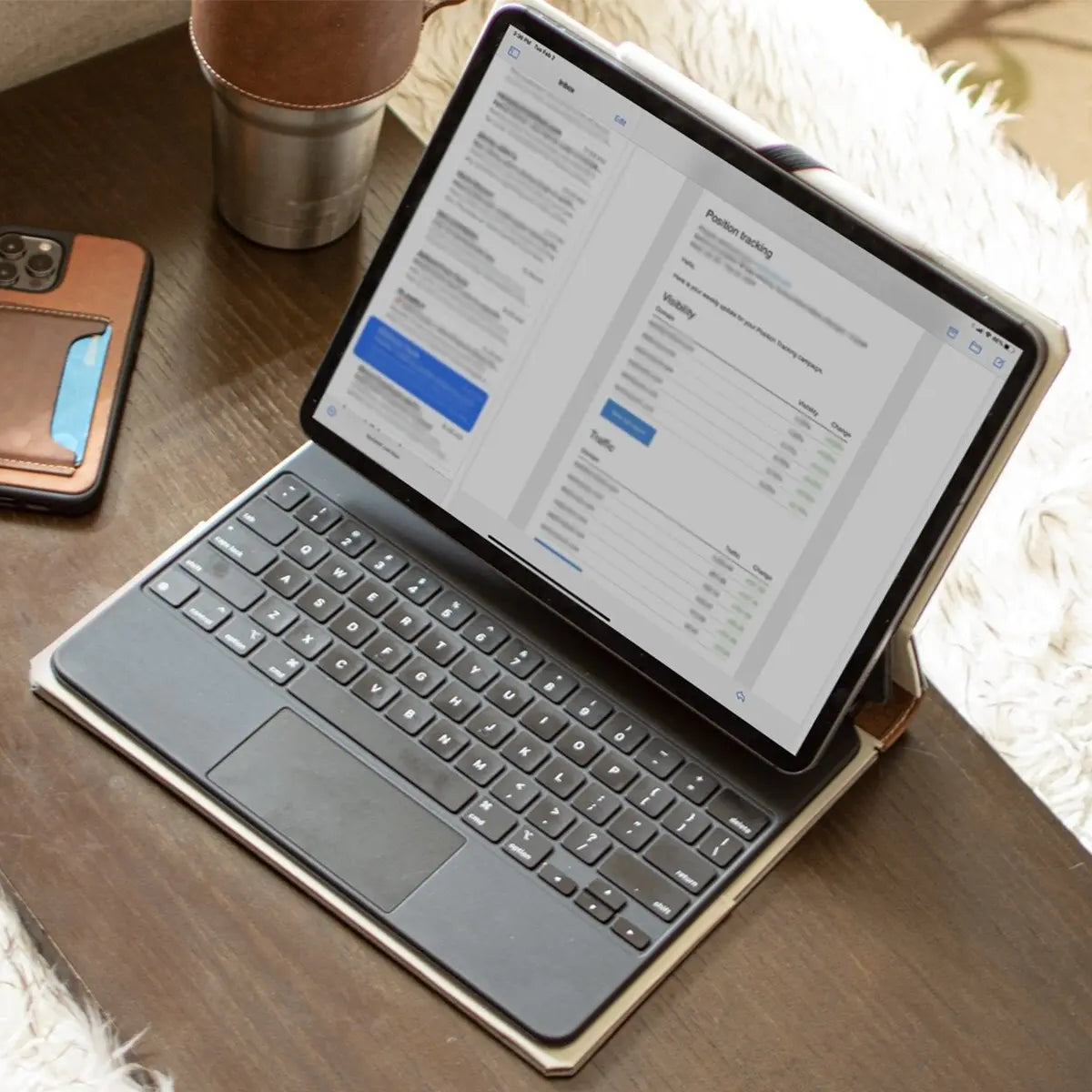
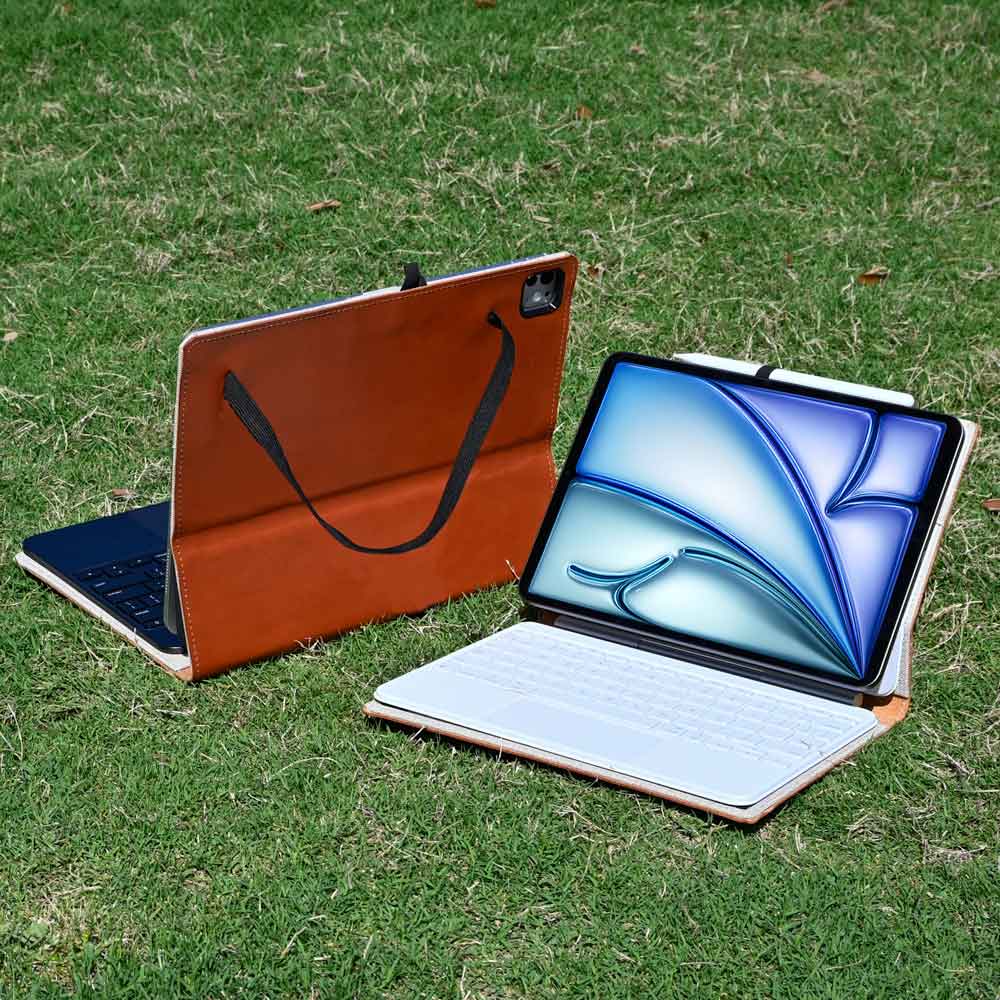
Many iPad owners rely on their device as a laptop replacement, attaching heavy-duty accessories like the Apple Magic Keyboard. These premium typing accessories naturally double as excellent screen defenders.
When closed, the thick, rigid structure of the keyboard forms a solid wall over the glass, offering far more crush resistance than a standard polyurethane flap. The combination of strong hinges and durable outer materials ensures the delicate screen remains entirely isolated from external threats while tucked away in a backpack or briefcase.
AppleCare Plus as Invisible Protection
Sometimes the most effective screen protector is a comprehensive insurance policy. Enrolling in AppleCare Plus shifts the burden of hardware anxiety away from you.
Instead of spending money trying out different frustrating plastic films, you pay an upfront fee for an extended warranty that covers accidental damage. If you drop your tablet and shatter the glass, a replacement costs a very small, predictable deductible.
This route lets you enjoy the bare screen with complete peace of mind, knowing that even a catastrophic accident will not force you to buy a brand-new tablet at full retail price.
Conclusion
Ultimately, an iPad screen protector is not a mandatory requirement for every owner. It is a highly situational accessory that solves specific problems while introducing new compromises.
The bare glass is remarkably tough on its own, easily surviving life on a living room couch or safely tucked inside a sturdy case. However, if your daily routine involves chaotic commutes, shared family spaces, or hours of drawing with the Apple Pencil, covering the display makes perfect sense.
You can make a confident decision by simply looking at your specific workflow, your physical environment, and your personal tolerance for minor scratches. Choose the setup that lets you enjoy your tablet without constant anxiety.
Frequently Asked Questions
Does the Apple Pencil scratch the bare iPad screen?
The standard Apple Pencil utilizes a soft plastic tip that is significantly weaker than the tempered glass of an iPad display. Regular drawing or writing will not scratch the screen. Any marks left behind are usually just plastic residue that easily wipes away.
Will a screen protector reduce display quality?
Adding any extra layer over your tablet will slightly alter the visual clarity. Tempered glass can increase harsh reflections and glare. Matte films are much more disruptive, creating a fuzzy, prismatic effect that noticeably reduces text sharpness and mutes vibrant colors.
Are matte screen protectors bad for stylus tips?
Matte films replicate the feel of paper by using microscopic ridges to create friction. This rough texture acts like very fine sandpaper against the Apple Pencil. Frequent note-takers and digital artists will likely need to replace their worn plastic tips every few weeks.
Do you really need tempered glass on an iPad?
Tempered glass is only necessary if your tablet faces a high risk of blunt force impact. If you commute daily, work in crowded environments, or share the device with young children, a thick glass layer provides essential defense against accidental drops and shattering.
What is the best alternative to a screen protector?
A high-quality cover or a sturdy keyboard case offers excellent defense during transit, which is when most damage occurs. Pairing a reliable protective case with an extended warranty plan allows you to enjoy the flawless bare display without constant fear of accidents.