

Staring at a checkout screen with identical spec sheets but vastly different price tags is a uniquely frustrating modern experience. You are about to invest over a thousand dollars into an iPad Pro, and picking the wrong physical footprint could easily derail your daily workflow.
Past generations forced buyers to compromise on display quality to get a smaller size. Today, the latest lineup offers absolute parity.
Both the 11-inch and the refined 13-inch models boast the exact same M-series processing power and brilliant Tandem OLED screens. The decision is no longer about raw performance.
It is purely a battle of physical form. Finding your ideal match means looking past simple diagonal numbers to see how extra space alters everyday ergonomics, typing comfort, and your overall budget.
Key Takeaways
- Both the 11-inch and 13-inch iPad Pro models utilize identical M-series processors and Tandem OLED displays, meaning raw performance and visual quality are completely equal.
- The 13-inch model provides roughly 40 percent more square-inch surface area than the smaller version, significantly expanding the workspace for multi-window features like Stage Manager.
- Holding the massive 13-inch tablet with one hand quickly leads to muscle fatigue, making the lighter 11-inch model a much better option for casual reading and handheld gaming.
- Creative professionals using demanding apps benefit immensely from the 13-inch screen, as it leaves ample room for complex interface toolbars and expansive horizontal timelines.
- Purchasing the 13-inch system requires a noticeably higher financial investment, as the larger base tablet, premium protective cases, and full-sized Magic Keyboard all cost substantially more.
Form Factor, Ergonomics, and Everyday Portability
The physical dimensions of a device dictate exactly how you will interact with it on a daily basis. While both models feature an incredibly refined industrial design, the variance in their physical footprint creates entirely different user experiences.
Weight and Thinness Profiles
Apple pushed the boundaries of engineering with the current iPad Pro chassis. The 13-inch model is astoundingly thin at just 5.1 millimeters, while the 11-inch model measures slightly thicker at 5.3 millimeters.
Because the 13-inch version spreads its weight over a much larger surface area, it can actually feel surprisingly light and balanced in the hand. However, the 11-inch model is still undeniably lighter in absolute terms.
This raw weight difference heavily influences how noticeable the device is when packed into a crowded briefcase or carried from room to room.
Handheld Comfort and Fatigue
Using an iPad as a traditional handheld tablet highlights the most obvious physical divide between the two sizes. The 11-inch model excels at handheld tasks like reading an ebook in bed, scrolling through social media on the couch, or playing casual games.
You can comfortably hold it with one hand for extended periods without feeling wrist strain. The 13-inch model acts much more like a detached monitor.
Trying to hold it aloft with one hand while tapping with the other will quickly lead to muscle fatigue. It almost always requires two hands or a surface to rest against for comfortable, prolonged use.
Travel and Mobility
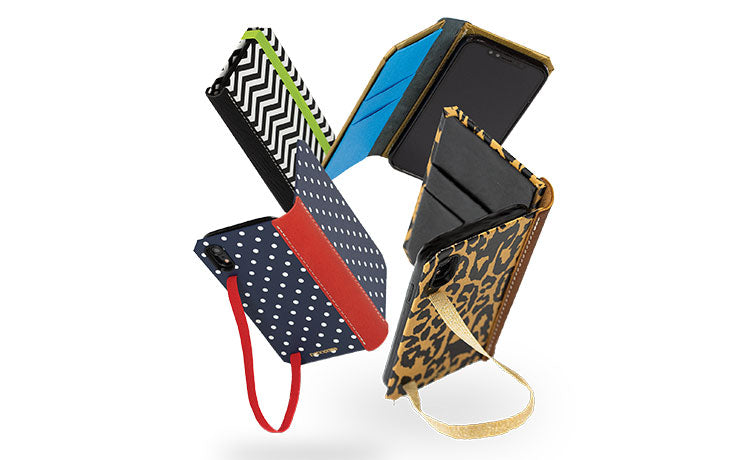
Portability heavily favors the smaller model. Even when wrapped in a protective 11-inch iPad Pro case, the device effortlessly slides into almost any tote bag, small backpack, or large purse.
If you travel frequently, it is an ideal companion because it fits easily onto cramped airplane tray tables or small coffee shop counters. The 13-inch model demands the same physical accommodations as a full-sized laptop.
You will need a bag with a dedicated tech sleeve and a sturdy 13-inch iPad Pro case to protect its massive glass surface area, and pulling it out in confined public spaces often feels cumbersome.
Display Technology and Screen Real Estate

The screen acts as the primary interface and canvas for any tablet experience. In a significant shift from prior generations, buyers no longer have to compromise on visual fidelity to get a smaller device.
Tandem OLED Parity
Apple has equipped both the 11-inch and 13-inch iPad Pro models with the exact same Tandem OLED technology. This means both screens deliver identical, jaw-dropping contrast ratios, perfect blacks, and brilliant peak brightness levels for high dynamic range content.
Additionally, both sizes offer the option to upgrade to nano-texture glass for glare reduction in bright environments. Choosing between the two is now completely divorced from display quality.
Understanding the Physical Canvas
Tablet sizes are measured diagonally, which often obscures the true difference in surface area. A two-inch difference in diagonal length might sound minimal on paper, but it yields a massive disparity in usable space.
The 13-inch iPad Pro actually offers roughly 40 percent more square-inch surface area than the 11-inch model. That extra physical canvas dramatically changes how much information your eyes can take in at a single glance, providing a much wider field of view for complex tasks.
Media Consumption and Viewing Experience
Watching movies and viewing photography is spectacular on both OLED panels, but aspect ratios play a major role in the viewing experience. Most modern films and television shows are shot in widescreen formats, which means the iPad Pro will display letterboxing, or horizontal black bars, at the top and bottom of the screen.
Because the 13-inch model is so much larger overall, the actual active video area remains massive even with letterboxing. Gaming is also highly immersive on the larger display, though fast-paced titles requiring rapid touchscreen inputs are often easier to manage on the 11-inch model.
Software Multitasking and General Productivity

Modern iPadOS features robust multitasking capabilities that allow multiple apps to run simultaneously. The physical size of the display heavily influences how useful and practical these software features actually are during a busy workday.
Split-View and Slide Over Dynamics
Running two applications side-by-side relies entirely on horizontal screen space. On the 11-inch model, a 50/50 Split-View essentially provides the equivalent of two large smartphone screens.
It works for quick referencing, but desktop-class websites will often force a mobile layout. The 13-inch display provides enough width to display two nearly full-sized iPad apps side-by-side.
You can reference a dense webpage while typing an email without feeling cramped, making multitasking feel natural rather than restrictive.
Stage Manager Scalability
Stage Manager allows users to organize overlapping, resizable windows, mimicking a traditional desktop interface. On the 11-inch screen, overlapping windows quickly stack on top of one another, leaving very little room to tap between them without constantly resizing.
The 13-inch model gives Stage Manager the breathing room it needs to function properly. While both models can connect to an external monitor to expand the workspace, only the 13-inch iPad Pro truly thrives as a standalone, multi-window productivity hub.
Document Review and Office Work
Handling professional documentation is vastly superior on the larger display. The 13-inch screen is roughly the size of a standard piece of US Letter or A4 paper.
This means you can read full-page PDFs or format text documents at their native, physical size without needing to pinch and zoom. Navigating massive spreadsheets is also significantly easier, as the larger panel reveals many more rows and columns simultaneously.
The 11-inch model handles these files perfectly well, but it demands far more scrolling to review the same amount of data.
Creative Workflows and Professional Applications

Creative professionals routinely push tablet hardware to its absolute limits. The physical size of the workspace profoundly impacts the creative process, influencing everything from precise brush strokes to timeline management.
Digital Illustration and Design
For artists using applications like Procreate, the user interface inherently consumes a portion of the screen. On the 11-inch model, toolbars, color wheels, and layer menus take up a significant percentage of the available space, often forcing illustrators to constantly hide the interface to see their full canvas.
The 13-inch model offers enough square footage to leave complex tool palettes open while still providing an enormous, uninterrupted area for drawing and painting.
Video and Audio Production
Professional applications like Final Cut Pro and Logic Pro rely heavily on horizontal timelines. Video editors require space to see multiple audio and visual tracks layered simultaneously.
The 13-inch display allows creators to view longer sections of a project at once, making scrubbing through footage and cutting clips highly efficient. Operating these same demanding applications on the 11-inch screen often feels claustrophobic, requiring continuous zooming in and out to manage complex timelines.
Photo Editing and Retouching
The ideal size for photography depends largely on the specific working environment. Studio photographers who process raw images and perform meticulous color grading generally prefer the 13-inch display for its expansive view of fine details.
Conversely, event photographers who need to tether their camera to a screen while walking around a venue highly value the 11-inch model. It is light enough to hold in one hand while making quick exposure adjustments in the field.
The Accessory Ecosystem and Total Cost of Ownership

Purchasing an iPad Pro rarely stops at the tablet itself. Adding essential accessories dramatically alters the physical footprint of the device and significantly raises the overall financial investment required.
Magic Keyboard Typing Experience
Pairing the tablet with a Magic Keyboard creates a completely different productivity machine. The 11-inch Magic Keyboard features slightly smaller, more condensed keys and narrower margins, which can feel somewhat cramped during long typing sessions.
The 13-inch Magic Keyboard provides an uncompromised typing experience. It features a spacious layout identical to a standard laptop deck, complete with a much larger glass trackpad that makes cursor navigation far more comfortable.
The Laptop Replacement Footprint
Once attached to a keyboard case, the physical presence of the device mimics a traditional clamshell computer. The 13-inch combination requires a substantial amount of desk space, but it shines when used directly on your lap.
Its wider base provides excellent stability, allowing it to balance effortlessly while sitting on a couch. The 11-inch setup takes up very little room on a small desk or tray table, but its narrower base can feel slightly top-heavy and unstable when positioned on an uneven lap.
Price Analysis and the Hardware Tax
The initial price gap between the two base models is substantial, but the actual cost difference goes much deeper than the tablet itself. Larger hardware requires more materials, meaning the 13-inch Magic Keyboard and premium protective cases cost noticeably more than their 11-inch counterparts.
When you add up the larger tablet, the more expensive keyboard, and potentially an Apple Pencil, the total cost of ownership for the 13-inch system compounds rapidly, pushing it firmly into premium laptop pricing territory.
Conclusion
The final decision demands a practical compromise between maximum portability and an expansive workspace. The 11-inch model offers unmatched mobility for tight spaces, while the 13-inch model provides a sprawling canvas that accurately mimics a traditional laptop environment.
A highly reliable rule of thumb is to treat the 11-inch version as a capable companion device to a primary Mac desktop. Conversely, the 13-inch version is the superior option for anyone attempting to replace their traditional computer entirely.
Frequent travelers, casual readers, and on-location photographers will find their perfect fit in the lighter, smaller chassis. Meanwhile, dedicated digital artists, heavy office multitaskers, and professional video editors should invest in the larger display to maximize their daily productivity.
Frequently Asked Questions
Do both iPad Pro sizes have the same screen quality?
Yes, both models feature the exact same Tandem OLED technology. You will experience identical contrast ratios, perfect blacks, and high peak brightness levels regardless of the size you choose. The visual fidelity remains entirely uncompromised on the smaller tablet.
Is the 13-inch iPad Pro too heavy to hold with one hand?
The 13-inch model is highly prone to causing wrist fatigue during extended one-handed use. Even though it features an ultra-thin 5.1-millimeter chassis, its wide footprint makes it feel cumbersome to hold aloft. It works much better when resting on your lap or attached to a keyboard.
Does the Magic Keyboard feel cramped on the 11-inch iPad?
The keys on the smaller Magic Keyboard are slightly condensed and feature narrower margins. While it remains perfectly functional for writing short emails or quick notes, long typing sessions can feel restricted compared to the full-sized, laptop-equivalent deck of the 13-inch accessory.
Which size is better for drawing in Procreate?
The 13-inch model provides a vastly superior experience for digital artists. The massive screen allows you to keep complex toolbars and layer menus open without sacrificing your actual drawing area. The 11-inch screen often forces you to continuously hide the interface to view your full canvas.
Can the 11-inch iPad Pro run two apps side by side?
You can run two applications simultaneously, but the layout will feel slightly constrained. A half-screen app on the 11-inch model essentially mimics a large smartphone interface. This forces desktop-class websites into mobile views and requires much more vertical scrolling to consume information comfortably.