
Purchasing a new iPad represents a serious financial commitment. The price tag for a Pro model often rivals a high-end laptop, while even the base models demand a respectable sum.
Just as you prepare to finish the transaction, Apple presents one final hurdle. Do you want to add AppleCare+ coverage? This prompts an immediate conflict between fear and frugality.
You want the security of knowing a cracked screen won't ruin your month, but you also hesitate to inflate the bill for a service you might never use. Insurance is only valuable when the math makes sense.
Defining the Coverage
Before deciding if the extra cost is justified, you need to know exactly what protection you already have and what the upgrade offers. Many buyers assume the standard warranty will protect them from common accidents, but the reality is much more restrictive.
The Standard Limited Warranty
Every new iPad ships with coverage known as the Apple Limited Warranty. This protection lasts for one year from the date of purchase.
It is designed solely to cover manufacturing defects and hardware failures that are not the user's fault. If the screen stops responding to touch, the battery fails prematurely, or a button stops working due to a factory error, Apple will repair or replace the device at no cost.
This warranty does not apply to accidental damage. If you drop the iPad and crack the screen, or if you spill coffee on it, the standard warranty provides zero assistance.
The AppleCare+ Upgrade Options
Buying AppleCare+ extends your warranty coverage to two years, or indefinitely if you pay monthly. The primary reason most people buy this plan is for Accidental Damage Protection, which covers unlimited incidents of drops, spills, and cracked screens.
As of mid-2025, Apple expanded its coverage options for the tablet lineup. While the standard AppleCare+ tier focuses strictly on accidental damage and hardware defects, you can now pay a higher premium for AppleCare+ with Theft and Loss.
This upgraded tier provides replacements for stolen devices, a feature previously limited to iPhones, up to two times a year. However, if you stick to the cheaper standard plan, theft protection is not included.
Priority Technical Support
The plan includes direct access to Apple experts via chat or phone. While anyone can walk into an Apple Store for help, AppleCare+ holders get priority status which allows them to bypass standard wait times.
This support covers more than just hardware issues. You can get assistance with iPadOS, iCloud questions, and connecting to wireless networks.
It effectively acts as a dedicated help desk for software frustrations.
The Financial Equation

Insurance is a numbers game. To determine if the plan is a smart financial move, you must compare the guaranteed cost of the premium against the potential cost of a disaster.
The Cost of Enrollment
The price of AppleCare+ varies significantly depending on your model and which tier you choose. Protecting a base-model iPad is relatively affordable, but insuring an iPad Pro with the "Theft and Loss" add-on can be a significant investment, often exceeding $180 upfront or a higher monthly fee.
You have the option to pay this amount in full at the time of purchase or split it into monthly installments. These monthly fees add up over time but lower the immediate barrier to entry.
We always recommend checking Apple's official pricing page for the most current rates in your region.
The Service Fee Structure
Buying the plan does not mean repairs are free. When you use the accidental damage coverage, you must pay a deductible known as a service fee.
Apple currently charges just $29 for screen damage or broken accessories (like the Apple Pencil or Magic Keyboard). However, for "other" accidental damage, such as liquid spills or a bent chassis, the fee ranges from $49 for base models to $99 for iPad Pro and Air models.
Finally, if you need to file a claim for theft or loss, the deductible is $129.
Out-of-Warranty Repair Costs
The value of the insurance becomes clear when you look at the cost of repairs without it. If you shatter the screen of an iPad Pro and do not have AppleCare+, the repair bill can be shocking.
Apple often charges a flat rate for out-of-warranty service that can range from $250 to nearly $800 depending on the model. In many cases, this fee represents 50% to 60% of the cost of buying a brand-new device.
Calculating the Break-Even Point
The math is usually straightforward. If you break your iPad even once, the plan pays for itself.
For example, the combined cost of the AppleCare+ plan plus the $49 service fee is almost always lower than a single out-of-warranty repair bill. If you never damage the device, you have paid for peace of mind.
If you damage it once, you have saved money. If you are accident-prone and break it twice, the savings are substantial.
Unique iPad Factors

iPads are built differently than laptops or phones, and these hardware differences influence the value of the protection plan. The way these devices are constructed makes third-party repairs difficult and increases the reliance on official support.
The Reality of iPad Repairs
Repairing a tablet is rarely as simple as swapping out a piece of glass. Modern iPads use laminated displays where the glass and the LCD are fused together.
This construction makes the screen incredibly thin but also makes it difficult to repair without specialized equipment. Because of this complexity, Apple often does not repair the specific broken part.
Instead, they frequently provide a full unit replacement. AppleCare+ also includes Express Replacement Service.
This allows Apple to ship you a replacement unit immediately so you are not left empty-handed. However, be aware that using this speedier service usually triggers the higher "other damage" deductible (e.g., $49 or $99) rather than the cheaper screen-repair fee, since they are replacing the entire device.
Coverage for Expensive Accessories
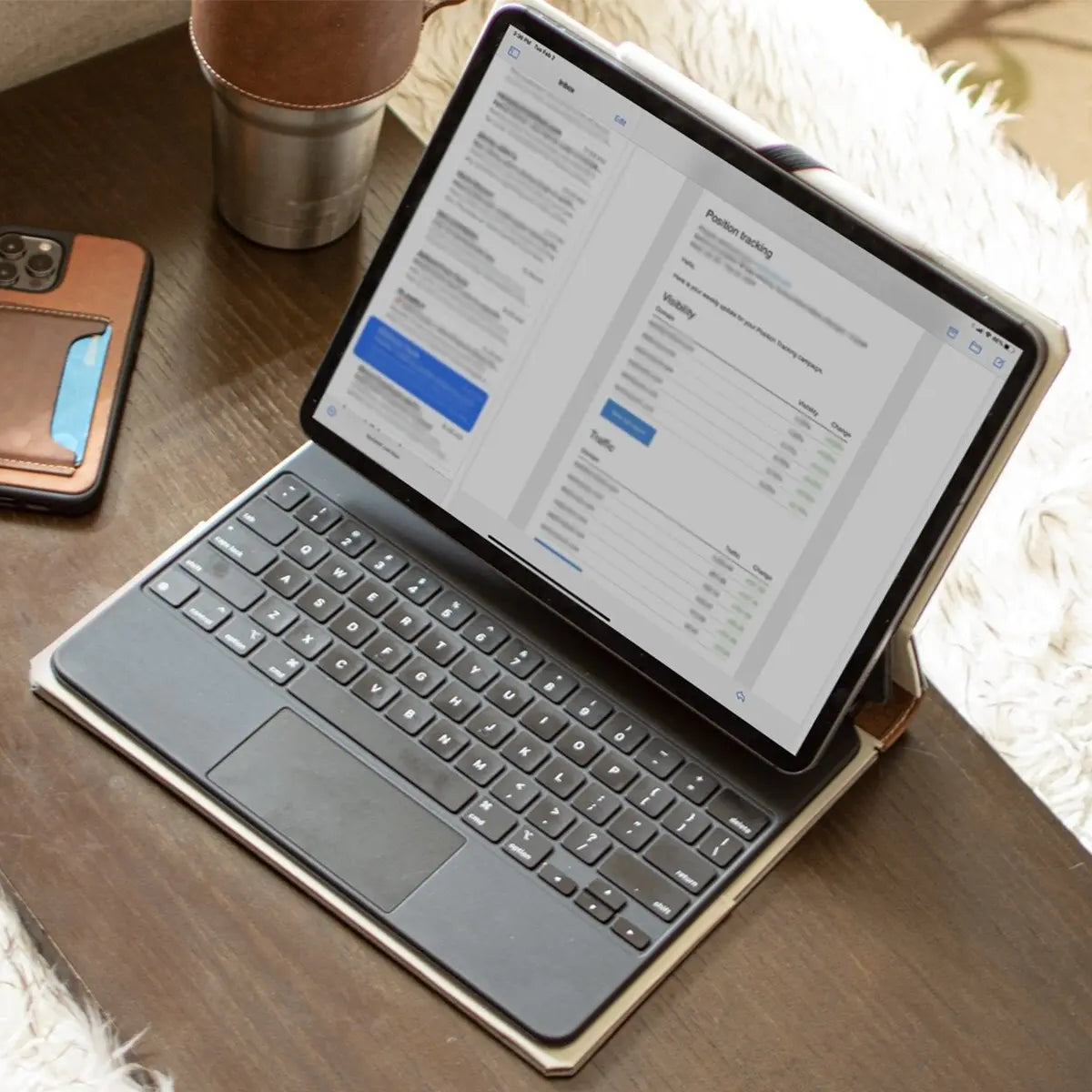
Many iPad users rely on the Apple Pencil and the Magic Keyboard. These accessories are expensive, with the keyboard alone costing as much as a budget iPad.
They are also fragile and prone to being dropped or sat on. AppleCare+ for iPad extends its coverage to these bundled accessories.
If you snap your Apple Pencil or spill water on your Magic Keyboard, you can get them replaced for a small deductible. For users who invest heavily in the full ecosystem, this adds a layer of value that protects more than just the tablet.
Battery Performance Guarantee
Lithium-ion batteries degrade over time. If you use your iPad heavily for work or gaming, the battery capacity may drop significantly within two years.
AppleCare+ covers battery service if the device retains less than 80% of its original capacity. Without the plan, replacing a battery is an out-of-pocket expense.
This feature ensures that heavy users can refresh their device's battery life without incurring extra costs, potentially extending the lifespan of the tablet for several more years.
User Scenarios

Not every iPad owner faces the same hazards. The value of an insurance plan depends heavily on how you interact with the device daily.
A tablet that never leaves the bedside table faces a completely different set of dangers compared to one that travels on a crowded subway or serves as a digital pacifier for a toddler. Identifying where you fit in these categories helps clarify if the expense is necessary.
The High-Risk Categories
Certain lifestyles make accidental damage almost inevitable. Parents of young children are at the top of this list.
If the iPad is shared with kids, drops onto hard floors and sticky spills are statistically probable events. In this context, AppleCare+ acts as a prepaid apology for the inevitable accident.
Commuters and students also fall into this high-risk group. When you slide an iPad into a backpack, it faces constant pressure and movement.
Even with a sleeve, the device can be crushed against textbooks or dropped while rushing to class. Finally, professional users like digital artists or field workers should consider the plan mandatory.
For these users, the iPad is an income-generating tool. The priority access to support and the Express Replacement Service minimizes downtime, ensuring that a broken screen does not result in a week of lost wages.
The Low-Risk Categories
If your iPad lives a sedentary life, the math changes. Home-bound users who primarily use the tablet for reading in bed or watching movies on the couch face minimal risk.
Carpeted floors and soft furniture provide a natural safety net that concrete and tile do not. Similarly, desktop users who keep their iPad mounted or permanently docked as a secondary monitor have little reason to pay for accident protection.
If the device rarely moves, the chance of a catastrophic drop is near zero.
The Model Factor
The specific model you purchase dictates the financial stakes. For a base-model iPad, the cost of AppleCare+ might represent a large percentage of the device's total value.
Paying a significant premium to insure a budget tablet often yields diminishing returns, as the replacement cost is relatively low. In contrast, an M4 iPad Pro is a massive investment.
The repair costs for these high-end models are astronomical. Insuring a Pro model is less about convenience and more about protecting a significant asset.
The Self-Insure Strategy

There is an alternative to paying a monthly premium for a potential repair. You can choose to invest that money upfront in high-quality physical protection.
This strategy shifts the focus from fixing a broken device to ensuring it never breaks in the first place. Instead of buying a promise of future service, you buy durability.
The Philosophy of Prevention
Insurance is reactive. It only helps you after the disaster has occurred.
A protective case is proactive. It works every second of the day to deflect damage.
For many users, the better financial decision is to take the money they would have spent on AppleCare+ and purchase a premium case that eliminates the need for insurance.
The Book-Style Advantage
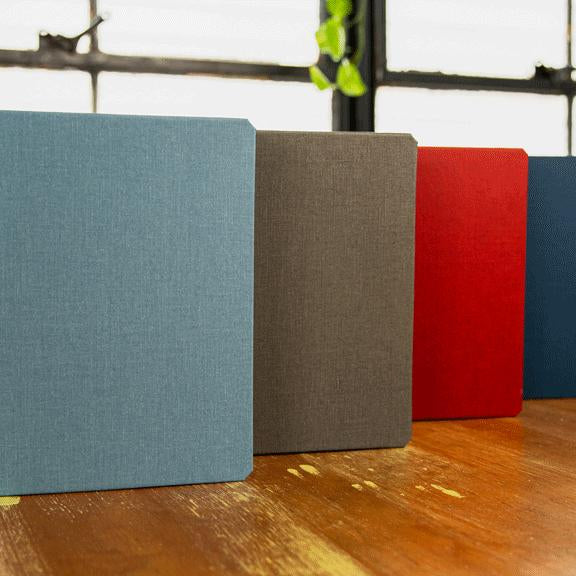
Not all cases offer the same level of security. Book-bound cases, such as those made by DODOcase, offer distinct structural advantages.
The most overlooked danger to an iPad is screen compression while it sits inside a bag. A standard silicone skin leaves the glass exposed to pressure from heavy objects, which can cause the screen to crack without a direct impact.
A book-style case features a rigid front cover that acts as a shield, absorbing that pressure and keeping the screen intact.
These cases also excel in corner impact protection. When a tablet falls, it almost always lands on a corner.
High-quality book cases utilize durable polymer trays that hold the device securely. These trays are designed to absorb shock at the point of impact, preventing the force from shattering the glass.
The Lost Accessory Factor
While Apple now offers theft protection for the iPad itself, there is a significant gap in coverage regarding accessories. The "Theft and Loss" plan explicitly excludes input devices.
This means if you lose your Apple Pencil at a coffee shop or in a classroom, AppleCare+ provides zero assistance. You must buy a full-price replacement.
This is where the right case acts as a better insurance policy. Premium cases often feature a dedicated, secure pencil loop.
This simple physical feature solves a problem that even the most expensive paid plan ignores. By physically tethering the stylus to the device, you virtually eliminate the risk of loss.
The Math of Durability
The financial comparison is compelling. A handcrafted, book-bound case might cost significantly less than the combined price of an AppleCare+ plan and a deductible.
That one-time investment protects the device for its entire lifespan. If the case does its job, you save hundreds of dollars.
If you are careful and value build quality, "self-insuring" with superior protection is often the smartest economic choice.
Conclusion
AppleCare+ functions as a financial hedge. You are essentially pre-paying for a potential disaster to avoid a catastrophic bill later.
While the peace of mind is real, it comes at a premium that does not make sense for everyone. The right choice depends entirely on how you treat your technology and the environment it lives in.
If you own a high-end iPad Pro and use it without a case, or if your device lives in a chaotic household full of kids, the plan is a smart buy. The statistical likelihood of a cracked screen justifies the expense.
Conversely, if you invest in solid physical protection like a rigid book-bound case and generally treat your gear with respect, you can safely skip the coverage. Good habits and a strong case provide a layer of security that often makes the insurance redundant.
You do not need to make this choice immediately at the register. Apple typically allows you 60 days from the purchase date to add the plan.
Take that time to evaluate how you use the device before locking in your decision.